Server
TaleonOT — taleon.online

DrenoxBot connects to the CipSoft 15.23 client used by TaleonOT by intercepting the login directly in memory. Packet relay between the client and the server is automatic — no files are changed, no patches applied. Pro plan, with 1 free hour to try.
TaleonOT uses the official CipSoft client version 15.23. DrenoxBot integrates with this client without installing anything on it.
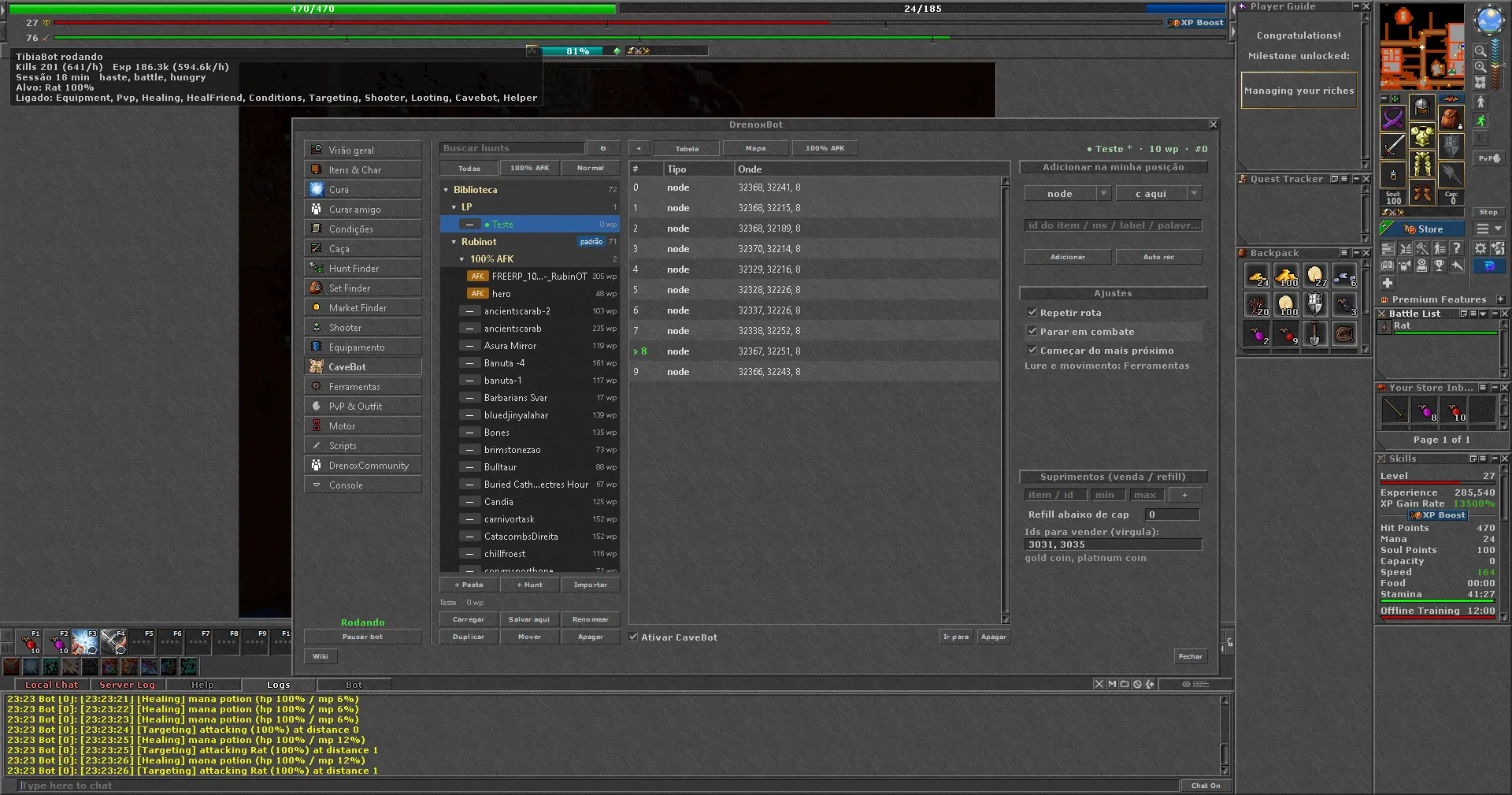
When you open the client and log in, DrenoxBot intercepts the communication in the process memory. It reads the loginWebService from the server's package.json, connects to Taleon and establishes the relay — all without touching any client files.
After login, the bot relays packets between the client and the Taleon server. It reads the game state in real time (map, creatures, inventory) and sends actions as if they came from the player.
TaleonOT — taleon.online
CipSoft 15.23
Pro
None
Get the CipSoft 15.23 client from taleon.online and the DrenoxBot launcher from the download page. Create your free account — the 1 Pro hour only starts on your first launcher login.
The launcher detects the Taleon CipSoft client and configures the setup automatically: version 15.23, loginWebService and relay. No manual configuration.
Log in to the client normally. The bot intercepts the connection in memory and opens its tabs inside the client. Pick a hunt in the Hunt Finder or build your route in the CaveBot.
Not every OT works the same way. Here's what makes Taleon different from other supported servers.
OTs with OTClient require packing detection and Lua handling. On Taleon, the client is CipSoft's: the launcher reads the package.json and that's it.
Servers with anti-cheat require the ProMax plan. Taleon has no anti-cheat, so Pro is all you need.
Taleon's login flow follows CipSoft's standard loginWebService pattern. No redirects or extra authentication to configure.
Yes. TaleonOT uses the CipSoft 15.23 client. DrenoxBot intercepts the login in memory and relays packets without modifying any client files.
No. TaleonOT has no anti-cheat system, so the Pro plan is enough. ProMax is only needed for servers with active anti-cheat.
No. DrenoxBot operates entirely in memory: it intercepts the login, relays packets and controls actions without changing any CipSoft client files.
TaleonOT runs on the CipSoft 15.23 client. That's the client DrenoxBot detects and configures. Download it from taleon.online.
The risk depends on the server's rules. Use the bot wisely, follow the best practices on the security page and avoid behavior that draws attention.