No mod, no files
The launcher prepares the client when it opens the game. Nothing is copied to the OTClient folder.

OTs with OTClient are now supported: the bot opens its own window inside the game, with healing, targeting, cavebot, Hunt Finder, Set Finder, Market Finder and the community. No mod and no files to copy. The first OT with full support is PaulistinhaOT.
A button in the client's side panel opens DrenoxBot. You configure everything without leaving the game.
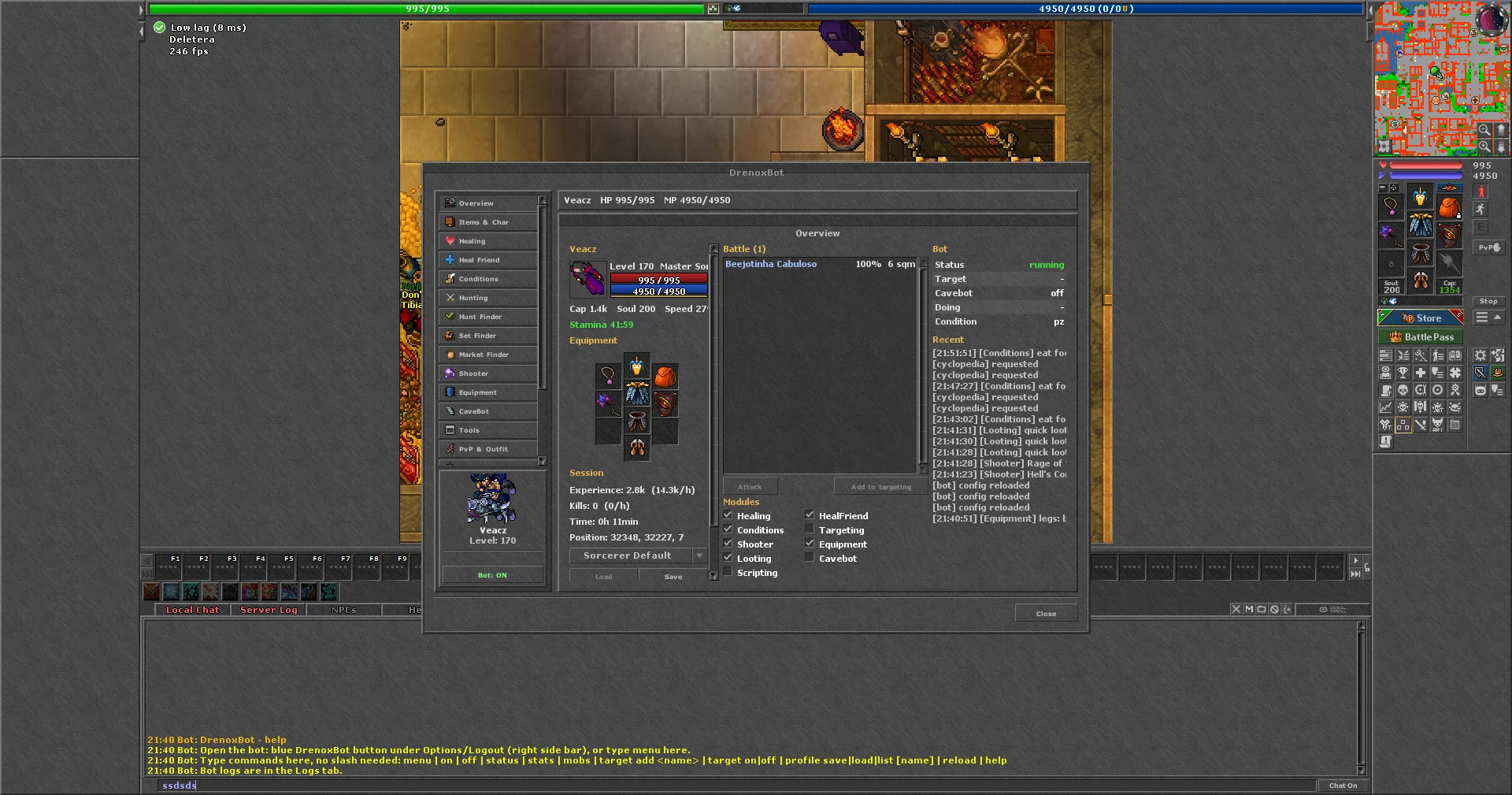
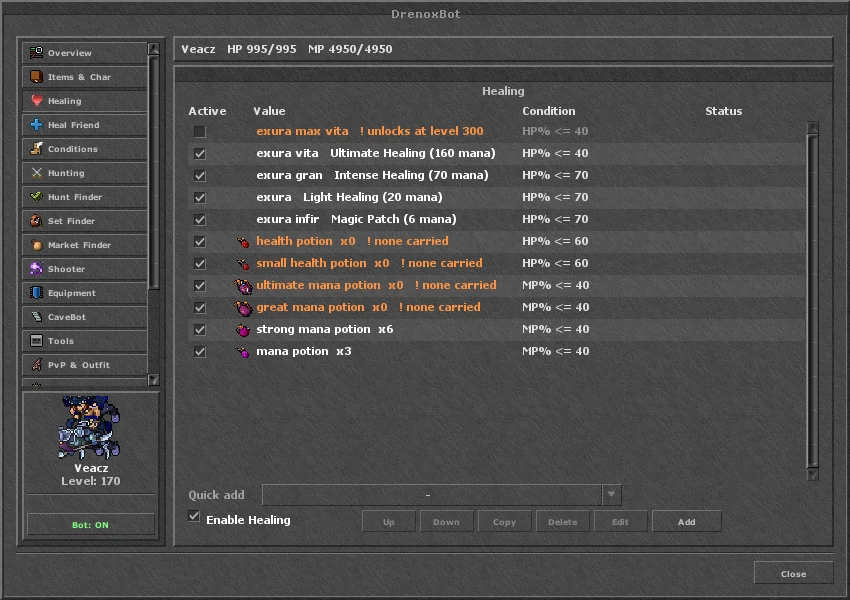
Healing rules by health and mana, with spells and potions, and a warning when the item is missing.
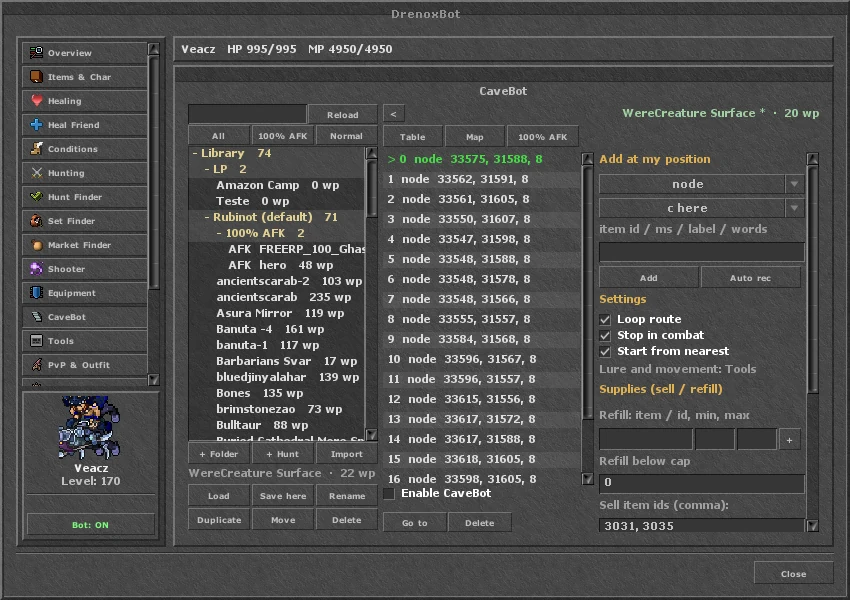
Hunt library in folders, waypoints, refill and 100% AFK mode.
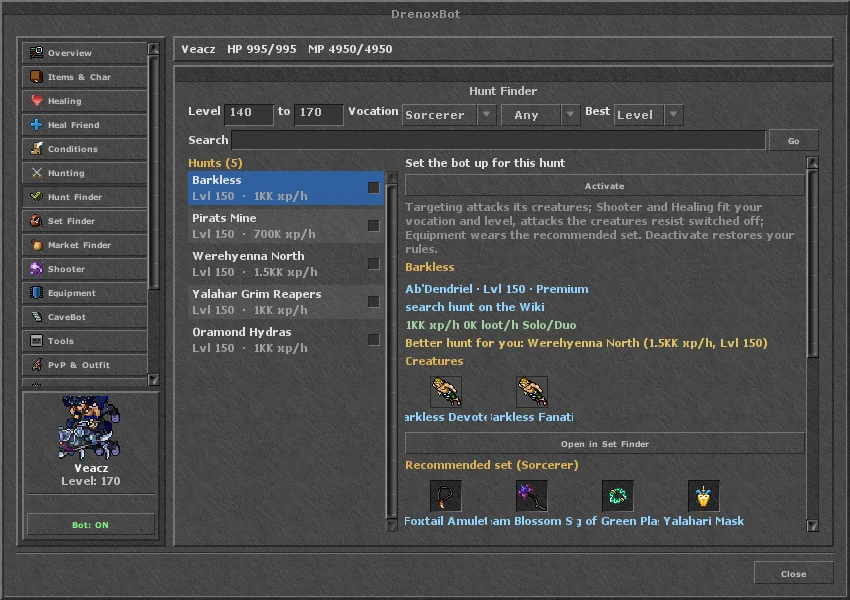
Hunts for your level and vocation, with xp/h, creatures and the recommended set.
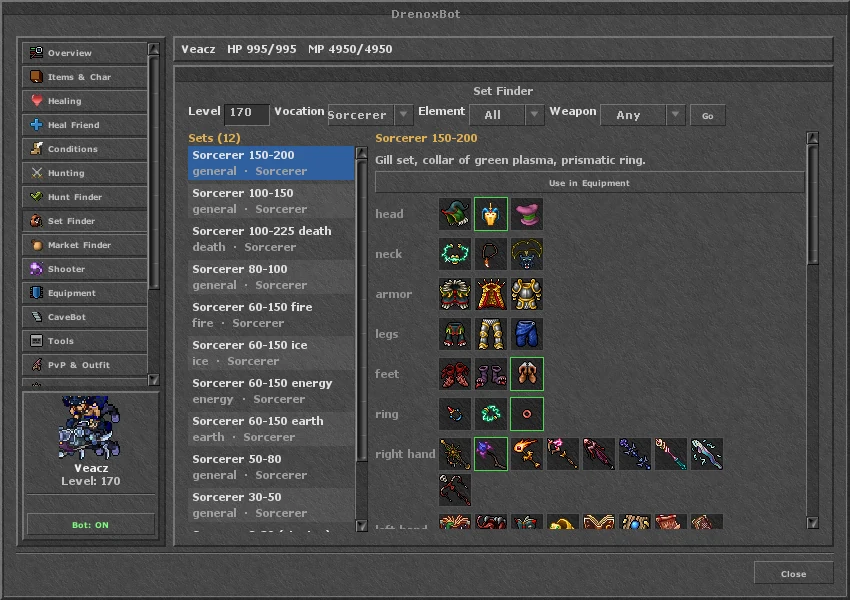
The best set by vocation, level and element.
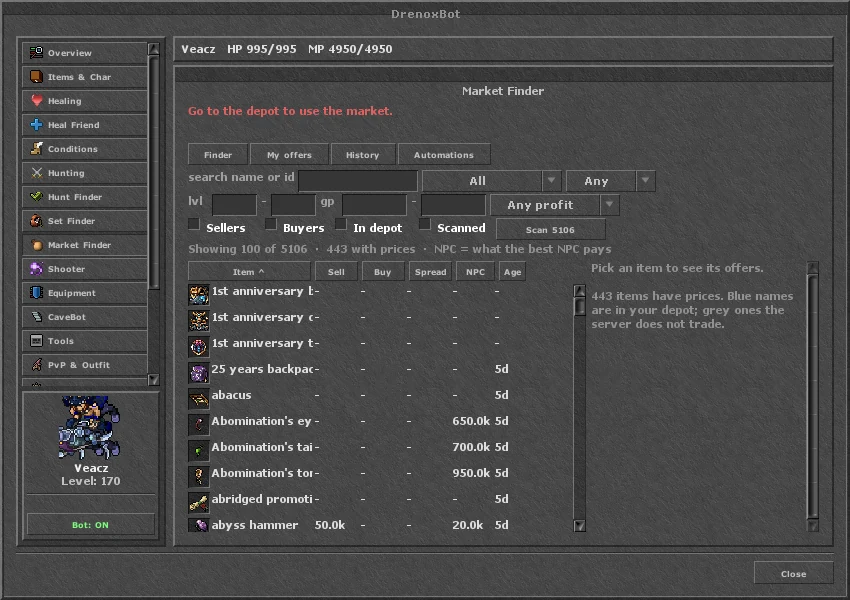
Items with sell, buy, spread and NPC price.
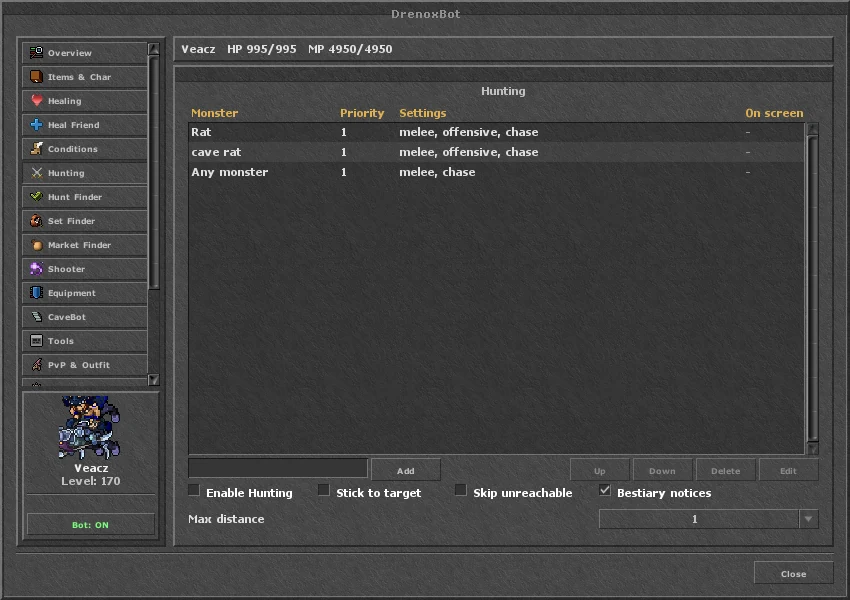
Targets with priority, distance and what to do with each creature.
The launcher prepares the client when it opens the game. Nothing is copied to the OTClient folder.
DrenoxBot shows up among the client's own buttons, next to Skills and Battle.
Profiles, cavebots and Lua scripts in the ZeroBot format work on both kinds of client.
One login, one bot per open client, each with its own character.
The DrenoxCommunity page opens your server's forum and downloads inside the game.
Your OT uses OTClient? Open it through the launcher and use Request support if the window does not show up.
See also: bot for PaulistinhaOT, bot for KingAslanOT, bot for TyronOT, bot for OTServer and how to download.
Yes. The bot runs on OTs with OTClient and opens its own window inside the game, with the same pages as on the CipSoft client. The first OT with full support is PaulistinhaOT (PTC client).
No. The launcher prepares the client when you open the game through it. No file is added to the OTClient folder.
Every OT packs OTClient in its own way. Open your OT through the launcher and, if the window does not show up, use Request support: we add your client.
The pages and the rules are the same. The window uses OTClient's own look, and a few details (hover tooltips, dragging items) become buttons.